1 · Quick start: your first song in a minute
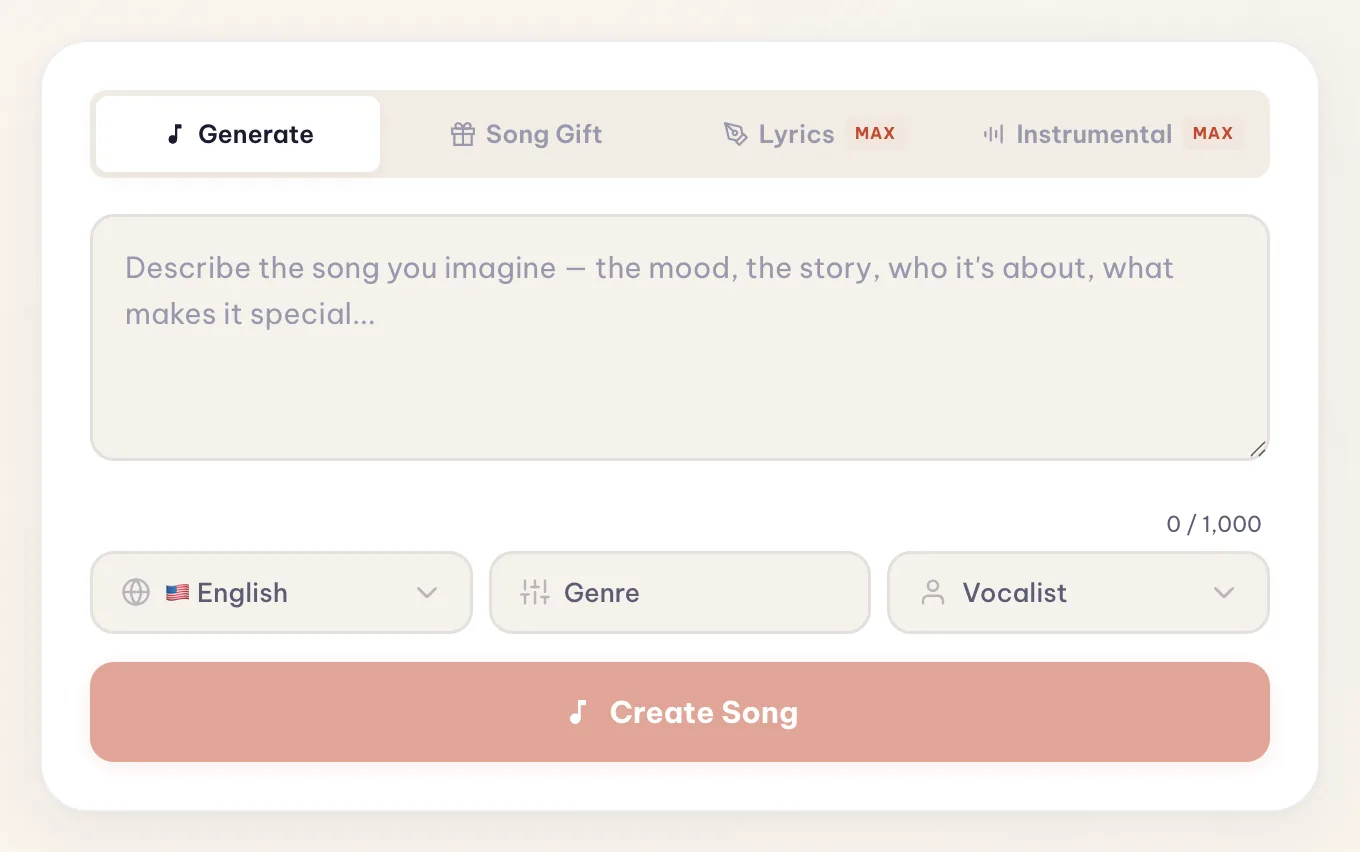
Everything starts right on the home page — the creator is the first thing you see. You describe the song in plain words — the mood, the story, who it's for — and Melodio writes the lyrics, composes the music, and sings it.
- 1
Describe it. Type what the song should be about. Real details beat vague vibes: names, places, inside jokes all end up in the lyrics. Stuck? The dice suggests an idea, and Enhance polishes your draft into a stronger brief.
- 2
Pick language, genre & voice. The chips under the field: 40 languages, up to 5 genres, and a male, female, or auto voice. Leave everything on Auto and Melodio decides from your description.
- 3
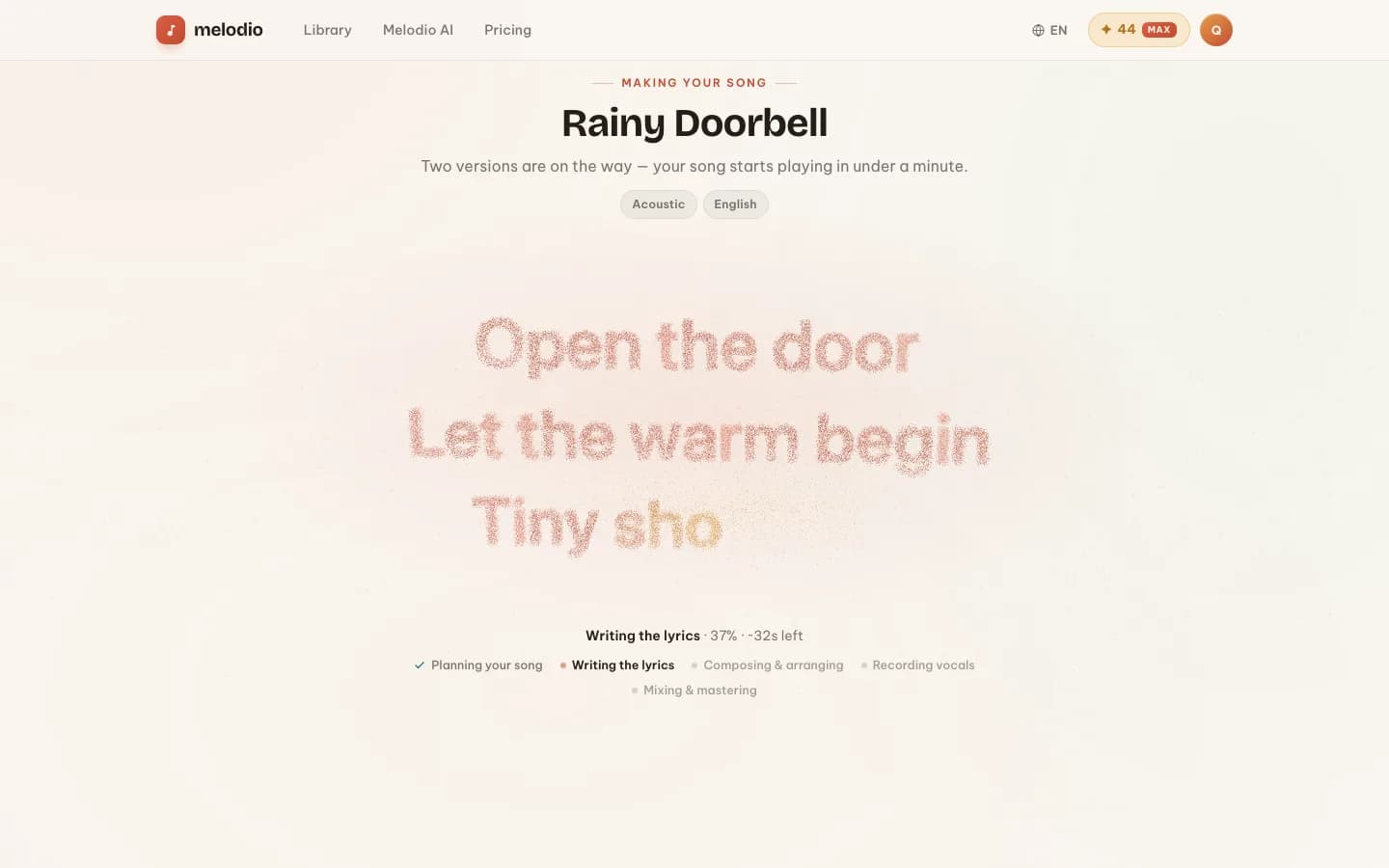
Press Create. You fly straight to the making-of screen: the lyrics are written live in front of you, and in about a minute TWO versions of your song start playing.
Every new account gets 15 free song generations — and each one produces two versions of your song, so that's 30 tracks to explore. Previews are always free; credits are only spent when you unlock a track you love. Any purchase — Melodio Max or any credit pack — makes generations unlimited (more in Credits & plans).
2 · The four creation modes
The default. Describe the song in up to 1,000 characters (10,000 on Max) and Melodio handles lyrics, structure, and production.
A guided wizard for gift songs — birthdays, anniversaries, weddings. It asks who the song is for, your relationship, the occasion, and the memories to include, then writes a song that’s unmistakably about them.
Bring your own words: paste up to 5,000 characters of finished lyrics and Melodio composes and sings them exactly as written. Free for everyone.
No vocals at all — describe the vibe in up to 500 characters and get a clean instrumental for videos, podcasts, or background music. Free for everyone.
3 · Genres, languages & voices
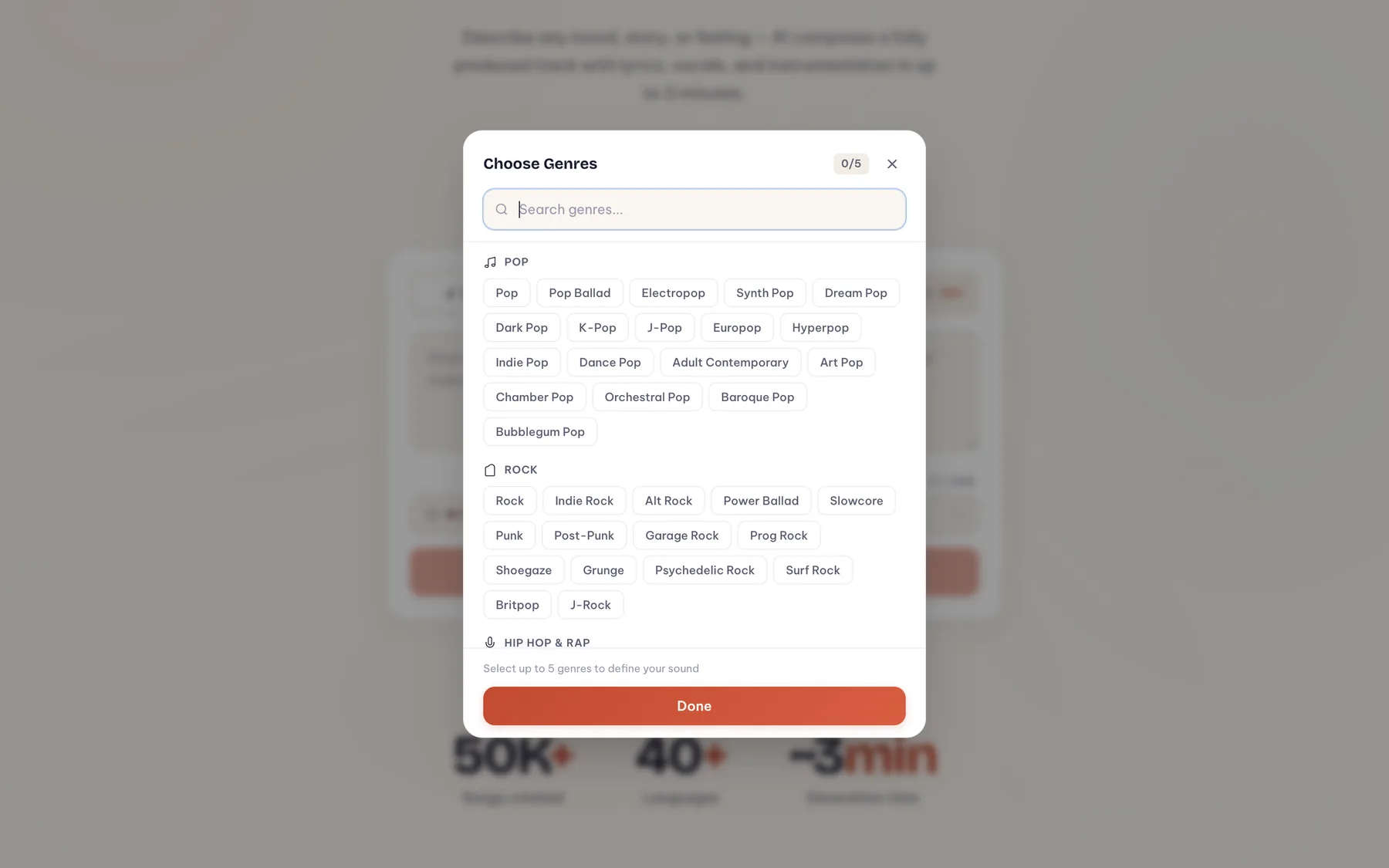
The genre picker holds 200+ genres in 16 categories — from Pop, Hip Hop and Electronic to Corridos, Afrobeats, City Pop, commercial jingles, and Kids & Lullabies. Combine up to 5: the first genre sets the backbone, the rest color the sound.
- Languages: 40, from English and Spanish to Japanese, Arabic, Hindi, and Ukrainian. Lyrics are written natively in the language you pick, not translated.
- Voice: Male, Female, or Any (let the model decide what fits).
- Voice personas (Max): clone a voice from one of your unlocked songs and reuse it across future tracks.
4 · Preview, unlock & share
Every generation ends with two versions side by side — same lyrics, two different takes, each with its own cover art and waveform player. Listen to the free preview of each (half the track), pick your favorite, and unlock it for ✦ 10 — the full track is yours forever, MP3 download included. Both versions are saved to your library either way.
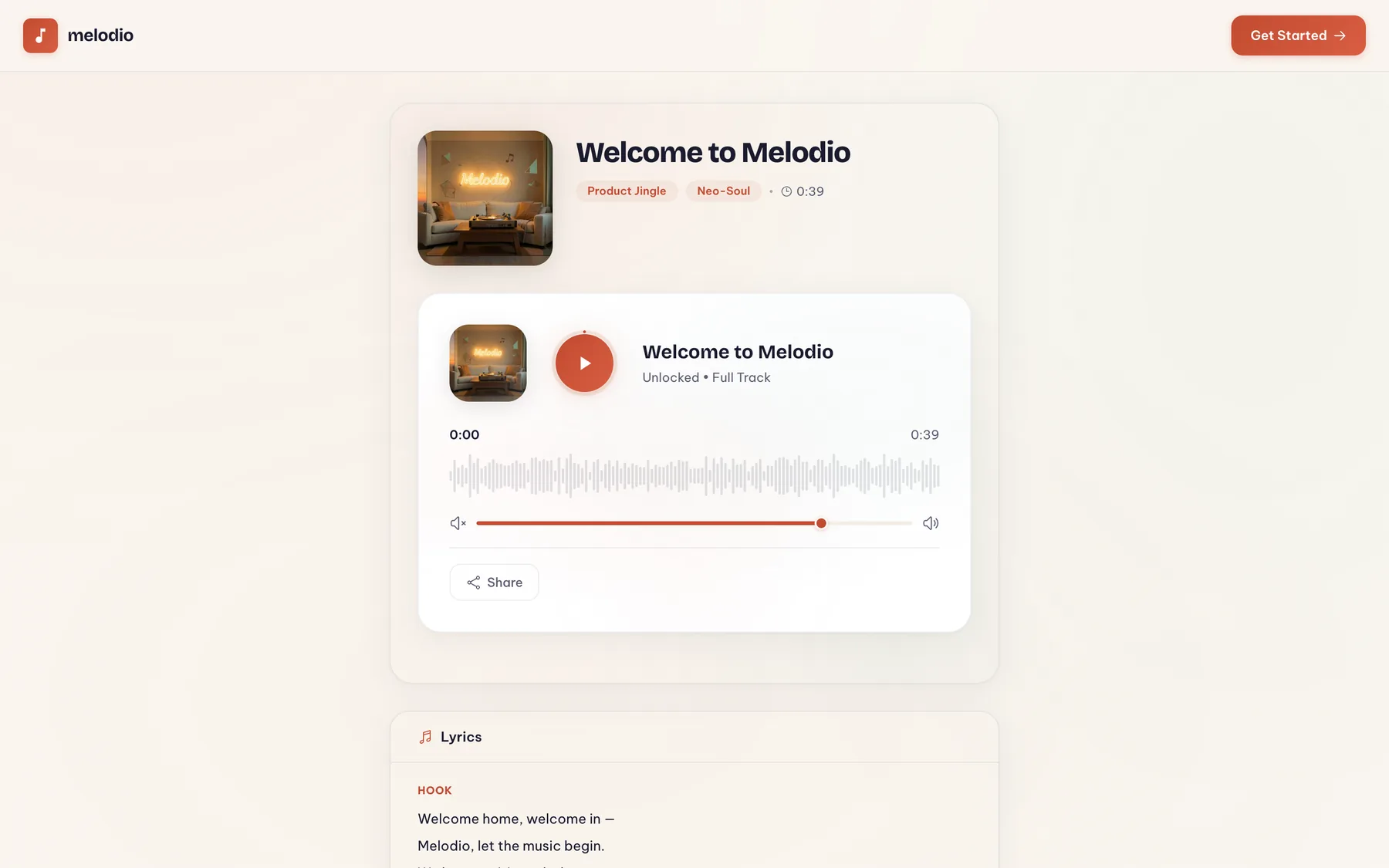
- Share: every song has a public link (melodio.co/share/…) you can send to anyone — no account needed to listen.
- Library: all your songs live in My Songs — play, rename, favorite, filter, download unlocked tracks, or delete.
- Rights: unlocked tracks are yours to use commercially.
5 · Studio tools MAX
Once a song is unlocked, its page grows a studio row of one-click tools. Most are part of Max; Cover only needs credits:
6 · Music videos
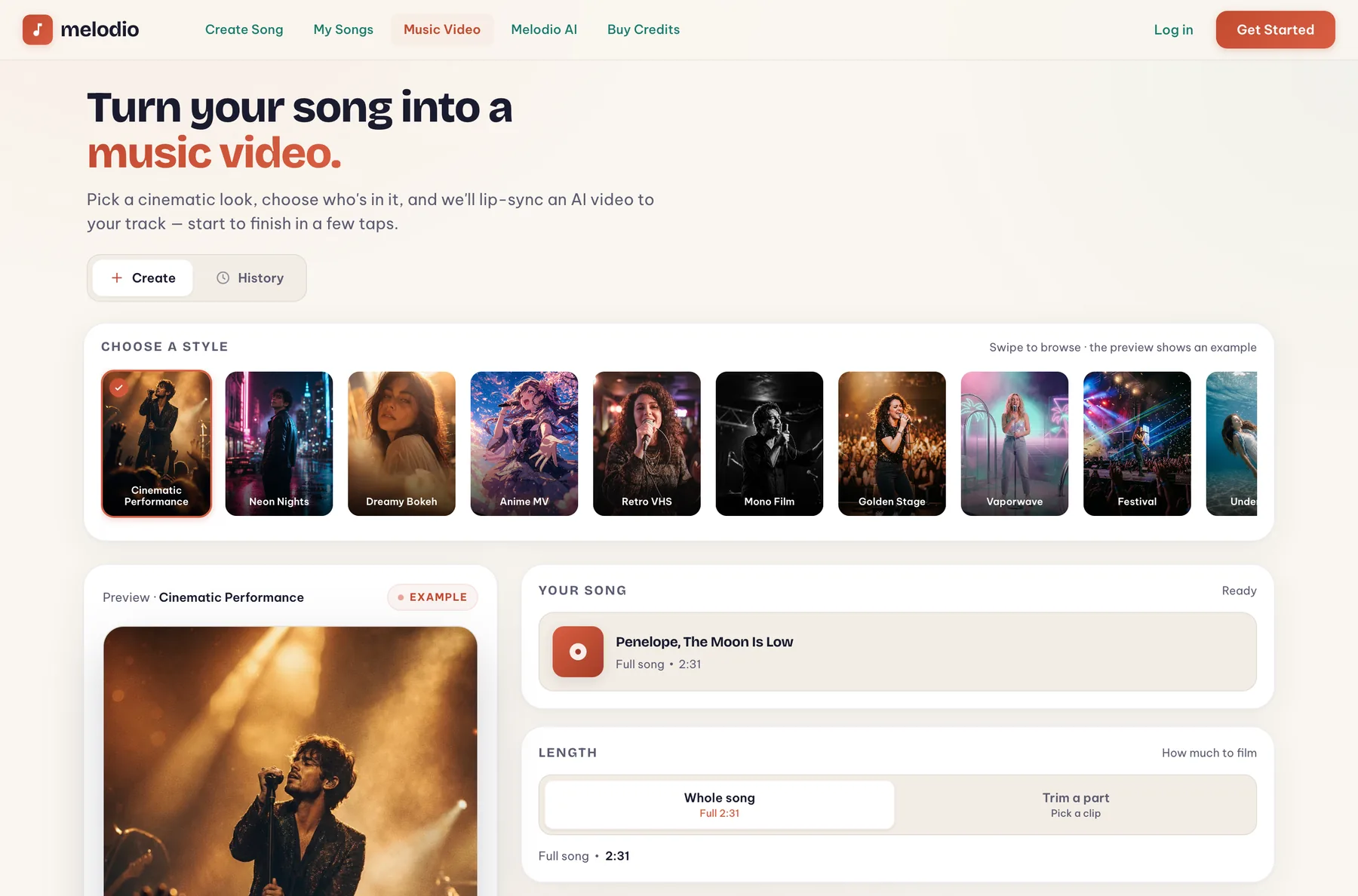
The Music Video studio turns any completed song into an AI-generated, lip-synced video. Pick one of 14 cinematic styles (Neon Nights, Anime MV, Retro VHS, Golden Stage…), choose who's in it — upload up to 3 photos or generate an AI character — and hit Generate.
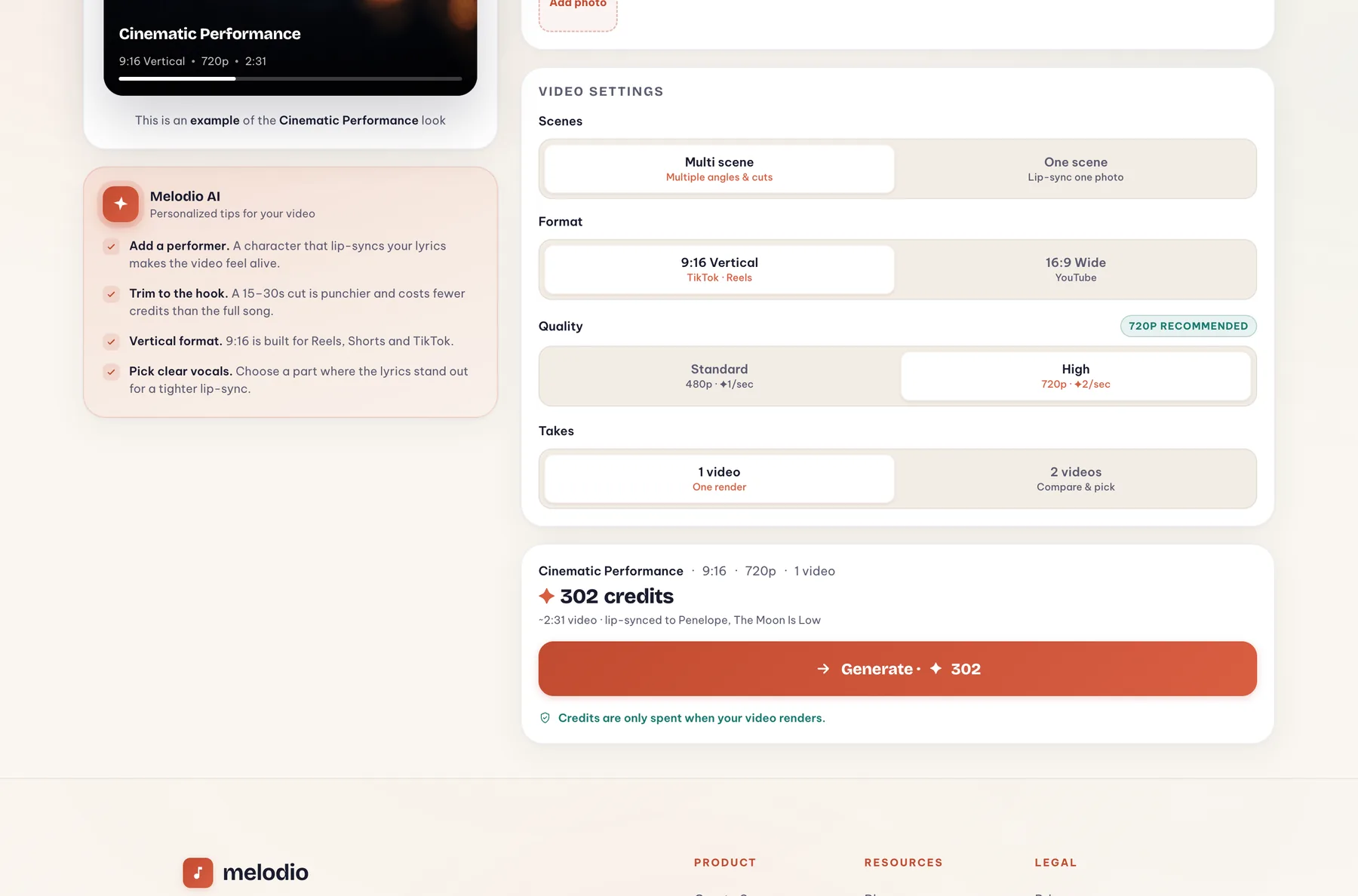
- Scenes: Multi scene cuts between angles like a real music video (up to 3 reference photos). One scene lip-syncs a single photo in one continuous shot — perfect for a singing portrait.
- Format & quality: 9:16 vertical (TikTok/Reels) or 16:9 wide (YouTube); Standard 480p costs ✦ 1/sec, High 720p ✦ 2/sec (minimum 10 credits per video).
- Save credits: trim to a 15–30s hook instead of rendering the whole song — punchier and much cheaper.
- Takes: render 1 video, or 2 to compare and keep the better one.
- AI character: turn a photo into a styled performer portrait to star in your video for ✦ 6 — uploading your own photo is free.
- Rendering: takes a few minutes. You can leave the page — the video keeps rendering and lands in the studio's History tab. Credits are charged when you press Generate and refunded automatically if a render fails.
7 · Melodio Kids
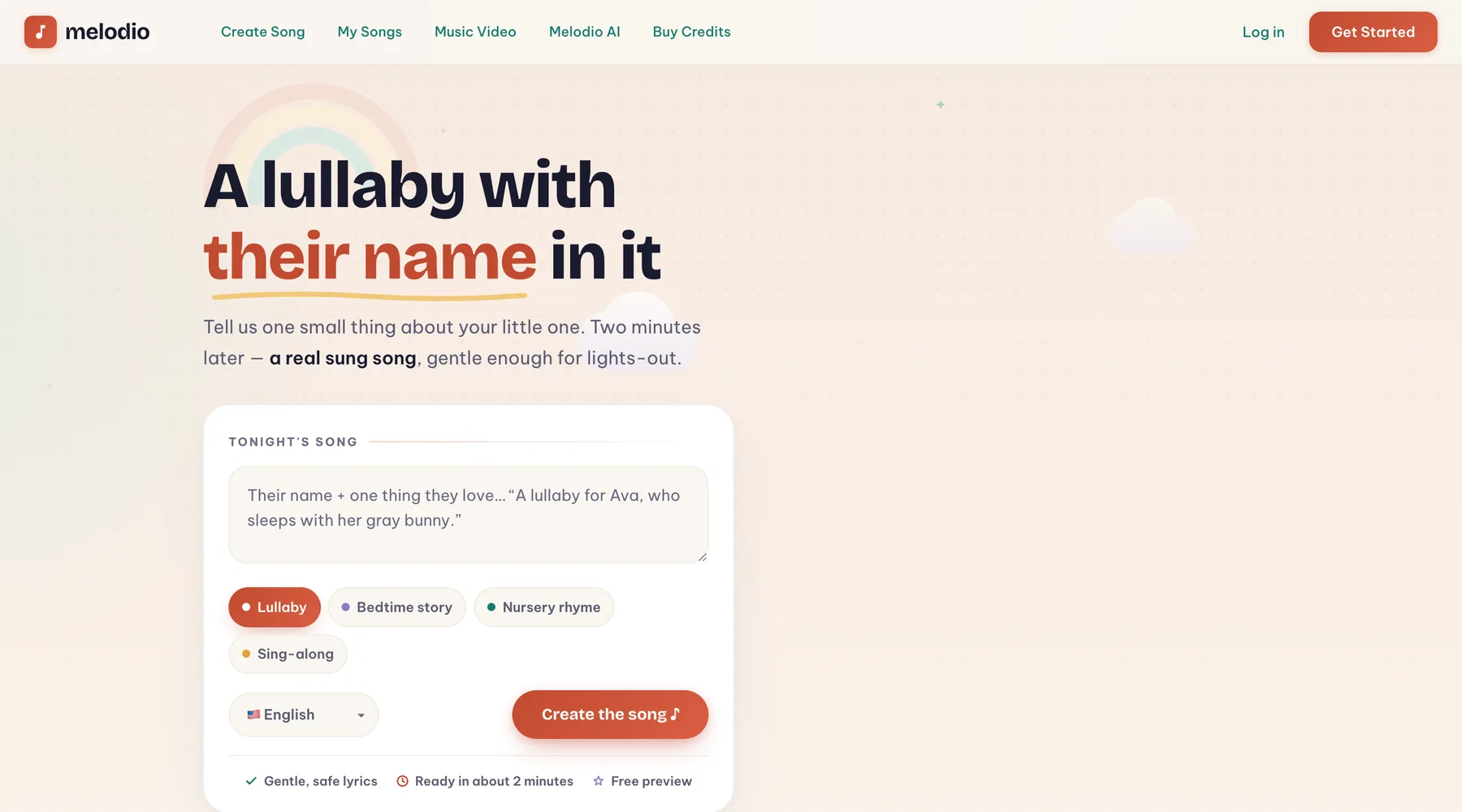
Melodio Kids is a dedicated corner for parents: personalized lullabies, bedtime story songs, nursery rhymes, and sing-alongs with your child's name woven into the verses. Lyrics stay gentle by design — soothing themes, simple words, nothing scary.
8 · Melodio AI
Melodio AI is your in-app assistant. Ask it anything about the service and get songwriting tips for free (15 messages a day on free accounts). On Max it goes further: it co-writes and refines full lyrics line by line, and can kick off the song generation for you straight from chat.
9 · Credits & plans
Credits are Melodio's single currency. Generating and previewing songs costs nothing; credits pay for unlocks, studio actions, and music videos (and if a video render fails, those credits come back automatically).
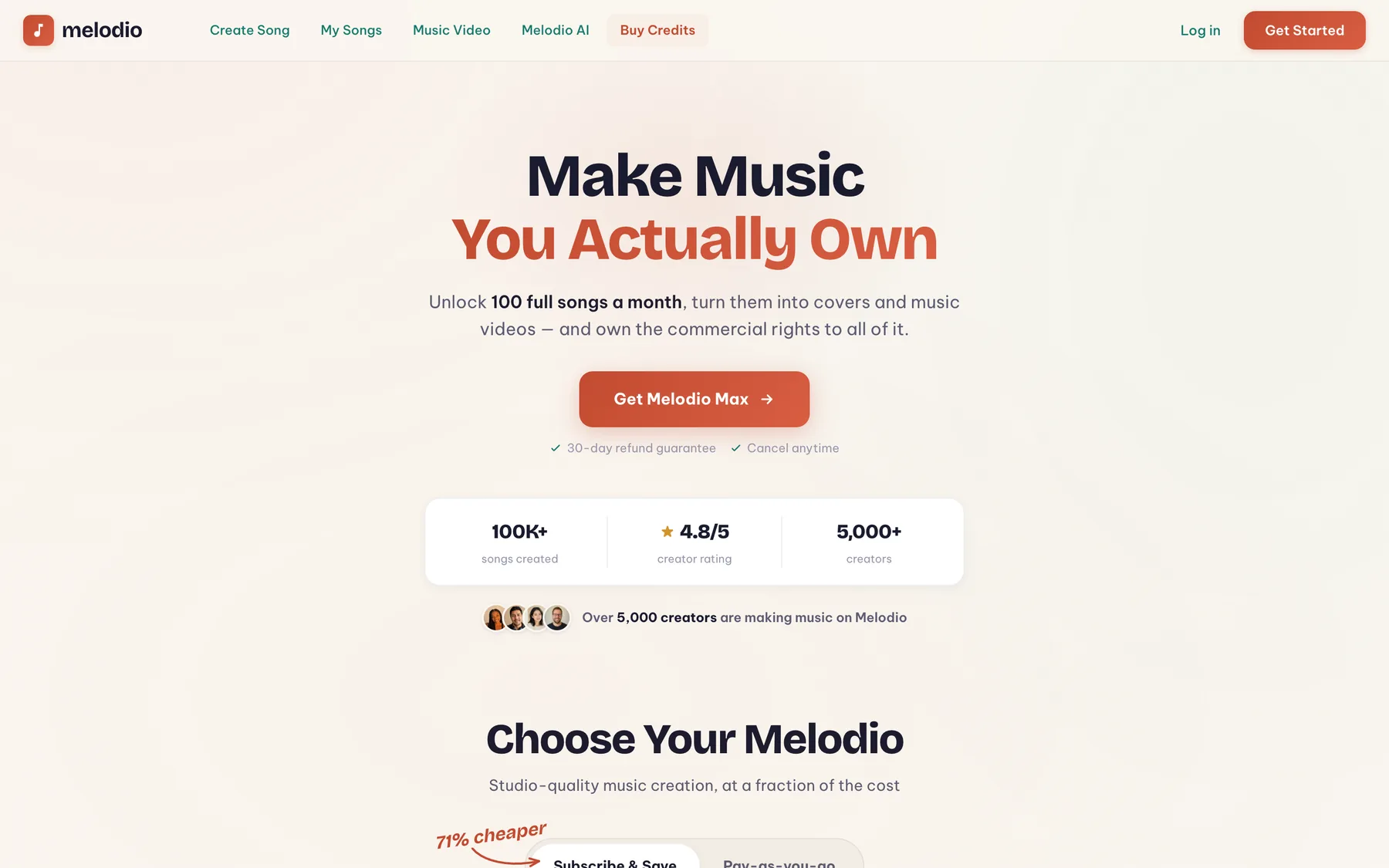
600 credits every month + every feature: custom lyrics, instrumentals, all studio tools, voice personas, music videos.
$19.99/mo — or $13.33/mo billed $79.99 every 6 months (save 33%).
One-time, no subscription, never expire:
- 100 credits — $20
- 1,200 credits — $59
- 3,000 credits — $99
- …or slide to any custom amount (pay-as-you-go)
Quick math: unlocking a song is 10 credits, so a Max month covers ~60 unlocked songs — or a mix of unlocks, covers, and a few music videos. Any purchase also removes the 15-generation free limit for good. And there's a referral program: ✦ 20 for each friend who joins (up to 25 friends).
10 · Tips for better songs
The single biggest lever is the description you type. The model treats it as a creative brief: whatever you make concrete, it keeps; whatever you leave vague, it invents.
Writing the brief
- Be specific, not poetic. “A song for Anna who burns every pancake but we love Sunday mornings anyway” beats “a beautiful song about love”. Real details land in the lyrics almost verbatim.
- Say who is singing to whom. “A mom singing to her daughter before a big exam” or “first person, to an old friend I lost touch with” — perspective sets the pronouns, the tone, and the whole emotional angle.
- Ask for your hook. Want an exact phrase in the song? Put it in quotes: the chorus is usually built around it.
- Name the mood and tempo. “Slow, warm, a little nostalgic” or “fast, defiant, stadium energy” — two or three mood words steer the whole production.
- Pair genres deliberately. The first genre is the backbone; add one or two others as seasoning. “Indie Folk + Lo-Fi” reads very differently from “Lo-Fi + Indie Folk”.
- Describe the sound, not an artist. “Moody 80s synths, breathy female vocal, slow build” works better than name-dropping a famous singer — the model responds to descriptions, not imitations.
- Write the brief in the target language. Generating in Spanish? Give the description in Spanish too — idioms and rhymes come out more natural.
Getting more out of a track
- Iterate cheaply. Every generation gives you two takes, and your first 15 generations are free — compare briefs and versions, and unlock only the one you love.
- Own the words. Custom Lyrics is free for everyone — it sings your text exactly as written — and section tags like [Verse], [Chorus], [Bridge] help shape the arrangement.
- Fix, don’t regenerate. One weak line in a great track? Replace section (✦4) rewrites just that part. Want it longer — Extend; want a different vibe on the same song — Cover.
- Keep one voice across releases. Clone a voice persona (Max) from a track you love and reuse it — your songs start sounding like one artist, not a playlist of strangers.
- Plan the video hook. If a music video is the goal, trim to the 15–30 second hook instead of rendering the full song: punchier on TikTok, and a fraction of the credits.
Ready to make something?
Your first songs are free — and if anything here didn't answer your question, Support has you covered.
Create a song ♪